Best Desk Setup Under $500: Complete Budget Home Office Build
Creating a productive home office doesn't require breaking the bank. With smart purchasing decisions and prioritizing essential components, you can build the best desk setup under $500 that rivals expensive workstations. The key is focusing on items that provide the biggest productivity boost while maintaining quality and durability.
A well-planned budget desk setup under $500 should prioritize ergonomics, functionality, and cable management while leaving room for future upgrades. By investing in versatile pieces that serve multiple purposes, you'll maximize value while creating a workspace that enhances focus and comfort throughout your workday.
Key Takeaways:
- Prioritize ergonomic essentials like monitor stands and proper lighting first
- Choose versatile accessories that solve multiple workspace problems
- Invest in quality peripherals that will last beyond your initial setup
- Focus on cable management early to maintain a clean, professional appearance
- Leave 15-20% of your budget for future upgrades and additions
What Makes the Best Budget Desk Setup Under $500?
Before diving into specific product recommendations, understanding the criteria for an effective budget workspace is crucial. The best desk setups under $500 balance immediate needs with long-term functionality, ensuring every dollar spent contributes to improved productivity and comfort.
Essential criteria include ergonomic positioning to prevent strain during long work sessions, adequate lighting to reduce eye fatigue, efficient cable management for a clean appearance, and quality peripherals that enhance rather than hinder workflow. Additionally, successful budget setups prioritize items with dual functionality, maximizing space efficiency in smaller home offices.
The most effective approach involves allocating roughly 30% of your budget to ergonomic improvements, 25% to lighting and visual comfort, 20% to input devices and peripherals, 15% to cable management and organization, and 10% reserved for unexpected needs or future upgrades.
Essential Components for Your Budget Home Office Setup
Building a comprehensive workspace requires careful consideration of which components provide the greatest impact on daily productivity. While it's tempting to purchase numerous small accessories, focusing on fewer, higher-quality items typically yields better long-term results.
The foundation of any effective desk setup starts with proper monitor positioning, followed by comfortable input devices, adequate lighting, and organized cable management. Each component should work harmoniously with others, creating a cohesive environment that supports extended work sessions without causing physical strain or mental fatigue.
1. Monitor Stand and Desk Organizer - The Foundation of Ergonomics
Proper monitor height is the single most important ergonomic factor in any desk setup, making a quality monitor stand essential for preventing neck strain and improving posture. The DeskCraft Adjustable Monitor Stand Riser combines height adjustment with valuable storage space underneath, maximizing both ergonomics and desk real estate. This dual-purpose design eliminates the need for separate storage solutions while ensuring your screen sits at optimal eye level. The wooden construction provides durability and aesthetic appeal that complements various desk styles, while the adjustable height accommodates different monitor sizes and user preferences.
2. Professional LED Desk Lighting - Reduce Eye Strain and Boost Focus
Inadequate lighting is a primary cause of eye fatigue and decreased productivity in home offices, making quality desk lighting a crucial investment. The DeskCraft LED Architect Desk Lamp features dual-head design and dimmable controls, providing customizable illumination for various tasks throughout the day. The adjustable arms allow precise light positioning, eliminating shadows on your keyboard and documents while reducing screen glare. LED technology ensures energy efficiency and long lifespan, while the architect-style design adds professional aesthetics to your workspace without consuming excessive desk space.
3. Mechanical Keyboard - Enhanced Typing Experience and Durability
A quality mechanical keyboard dramatically improves typing comfort and accuracy while providing the tactile feedback that many professionals prefer. The Apayado K61 Mini RGB Mechanical Keyboard offers the perfect balance of functionality and space efficiency for budget-conscious users. The compact 61-key layout saves valuable desk space while maintaining all essential keys for productivity work. RGB backlighting enhances visibility in low-light conditions and adds customizable aesthetics, while the mechanical switches provide consistent performance and longevity that outlasts membrane alternatives significantly.
4. Ergonomic Wireless Mouse - Comfort for Extended Use
An ergonomic mouse reduces wrist strain and improves navigation precision, especially during extended work sessions involving detailed tasks. The DeskCraft Ergonomic Wireless Mouse features dual-mode connectivity and ergonomic design that supports natural hand positioning. The wireless functionality eliminates cable clutter while providing reliable performance, and the dual-mode capability ensures compatibility with various devices. The ergonomic shape reduces pressure points and supports proper wrist alignment, preventing repetitive strain injuries that can develop from prolonged computer use.
5. Cable Management System - Maintain a Clean, Professional Appearance
Effective cable management transforms a cluttered workspace into a professional environment while making cleaning and equipment access significantly easier. The DeskCraft Telescopic Under-Desk Cable Management Tray provides expandable storage for power strips and cable routing, keeping wires organized and easily accessible. The telescopic design accommodates various desk widths while maintaining a low profile that doesn't interfere with leg room. This system prevents cable tangling, reduces dust accumulation, and creates a cleaner aesthetic that enhances focus and professionalism during video calls.
6. USB-C Hub - Expand Connectivity and Reduce Cable Chaos
Modern laptops often lack sufficient ports for a complete desk setup, making a quality hub essential for connecting multiple peripherals efficiently. The Baseus 6-in-1 USB-C Hub provides comprehensive connectivity including 4K HDMI output, multiple USB ports, and charging capabilities in a compact form factor. This hub eliminates the need for multiple adapters while supporting high-resolution external monitors and fast data transfer. The compact design reduces desk clutter while providing enterprise-level functionality, making it an excellent investment for users who frequently connect various devices.
7. Professional Webcam - Essential for Remote Work Success
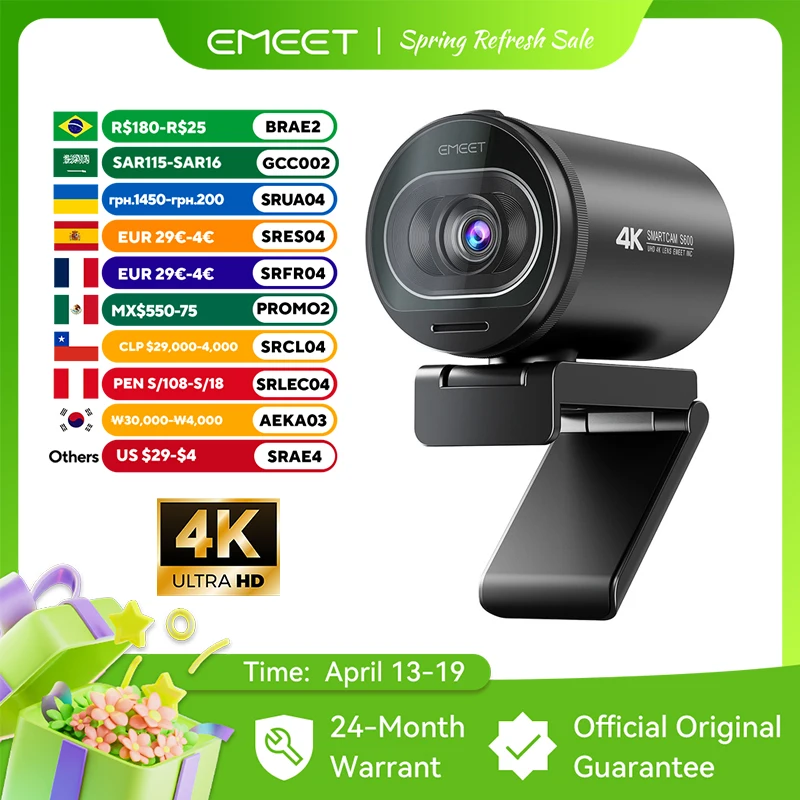
High-quality video communication has become essential for remote work success, making a professional webcam a worthwhile investment for any home office setup. The 4K Webcam with Autofocus provides crisp video quality and reliable autofocus that ensures professional appearance during important video calls. The 4K resolution future-proofs your setup while providing excellent 1080p performance for daily use. Advanced autofocus technology maintains sharp focus even with movement, while the professional-grade image sensor performs well in various lighting conditions, reducing the need for additional lighting equipment.
Budget Allocation Strategy for Maximum Impact
Strategic budget allocation ensures you invest in components that provide the greatest productivity improvement while maintaining quality standards. The most effective approach involves prioritizing items with the highest daily usage frequency and ergonomic impact, followed by accessories that enhance professional appearance and workflow efficiency.
Allocating approximately $150-200 for ergonomic essentials like monitor stands and lighting creates a foundation for comfortable extended work sessions. Investing $100-150 in quality input devices ensures daily interactions remain smooth and strain-free, while dedicating $75-100 to cable management and connectivity solutions maintains professional aesthetics and functionality.
The remaining budget should focus on items that enhance video communication quality and provide room for future expansion. This approach ensures your initial investment creates a fully functional workspace while leaving flexibility for upgrades as needs evolve or budget allows.
Common Budget Setup Mistakes to Avoid
Many budget-conscious users make critical errors that ultimately cost more money and reduce productivity. The most common mistake involves purchasing numerous cheap accessories instead of fewer quality items, resulting in frequent replacements and poor performance that hampers daily work.
Another frequent error is neglecting ergonomics in favor of aesthetics, leading to physical discomfort and potential health issues that could require expensive solutions later. Similarly, ignoring cable management from the beginning creates increasingly complex problems as more devices are added to the setup.
Successful budget setups avoid these pitfalls by prioritizing function over form, investing in quality basics before adding decorative elements, and planning for future expansion from the initial setup. This approach creates a workspace that grows with your needs rather than requiring complete overhauls.
Maximizing Your Workspace Investment
The best desk setup under $500 focuses on creating a foundation that supports long-term productivity while providing flexibility for future upgrades. By prioritizing ergonomic essentials, quality peripherals, and effective organization systems, you can build a professional workspace that rivals much more expensive alternatives.
Remember that a well-planned budget setup often outperforms expensive but poorly coordinated equipment. Focus on how each component contributes to your daily workflow, and choose items that solve multiple problems simultaneously. This approach maximizes value while creating a workspace that truly enhances your productivity and comfort.
Ready to build your perfect budget home office? Explore our complete collection of premium desk gear and start creating a workspace that supports your success without breaking your budget. Every component is carefully selected to provide exceptional value and long-term performance.
Shop products from this guide
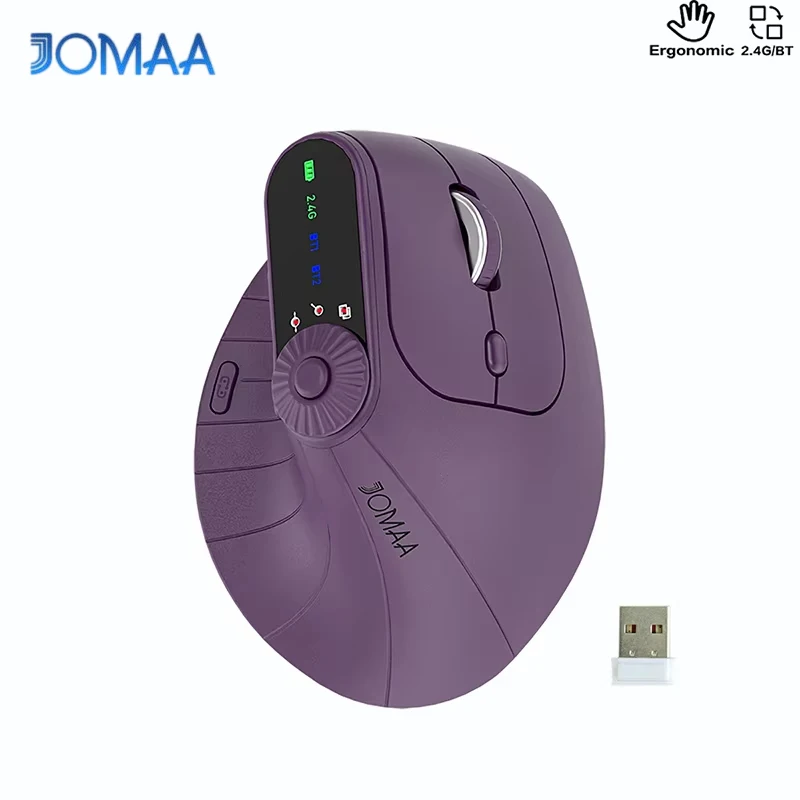
DeskCraft Ergonomic Wireless Mouse - Dual Mode 2.4G + BT
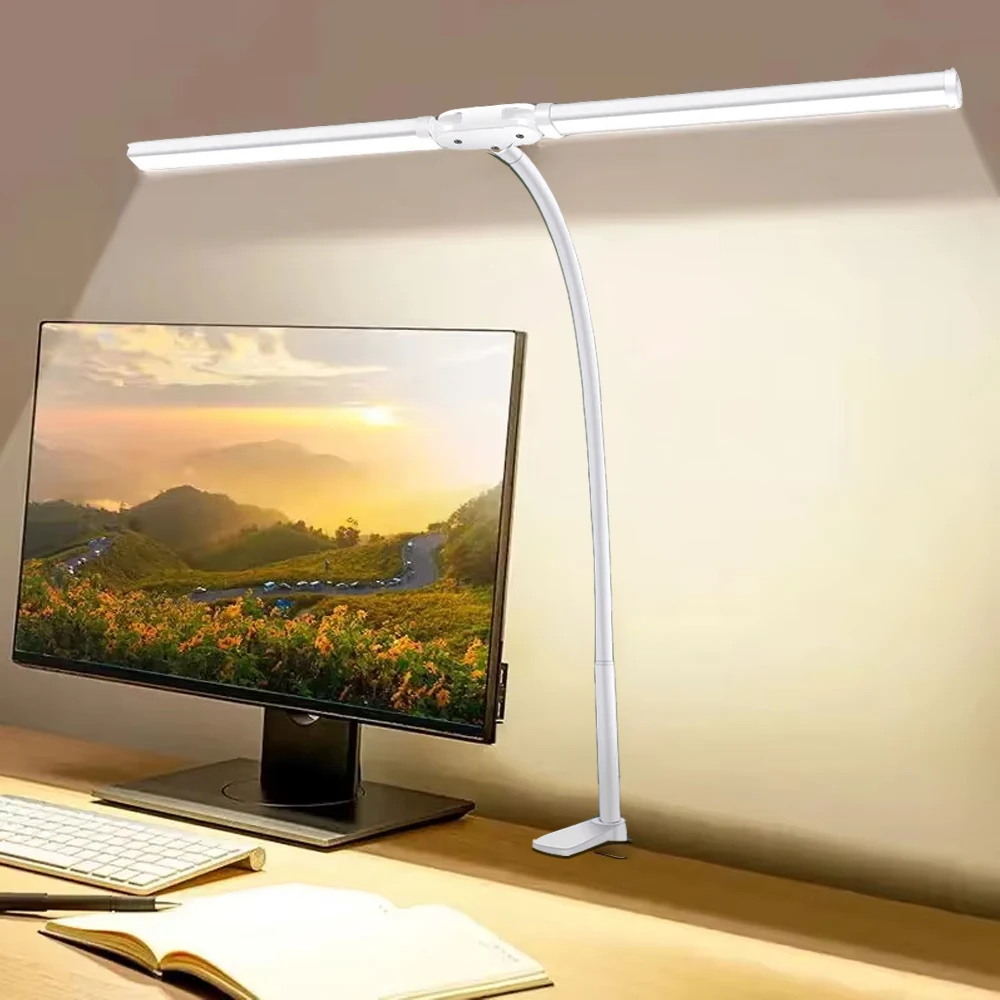
DeskCraft LED Architect Desk Lamp - Dual Head Dimmable

DeskCraft Monitor Stand Riser - Adjustable Wood Desk Organizer
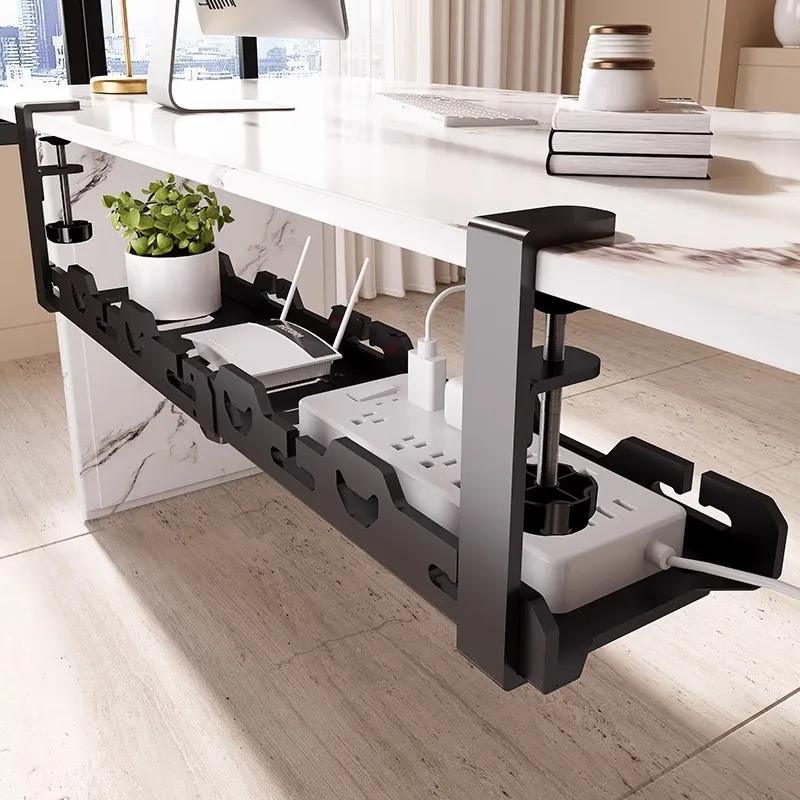
DeskCraft Telescopic Under-Desk Cable Management Tray
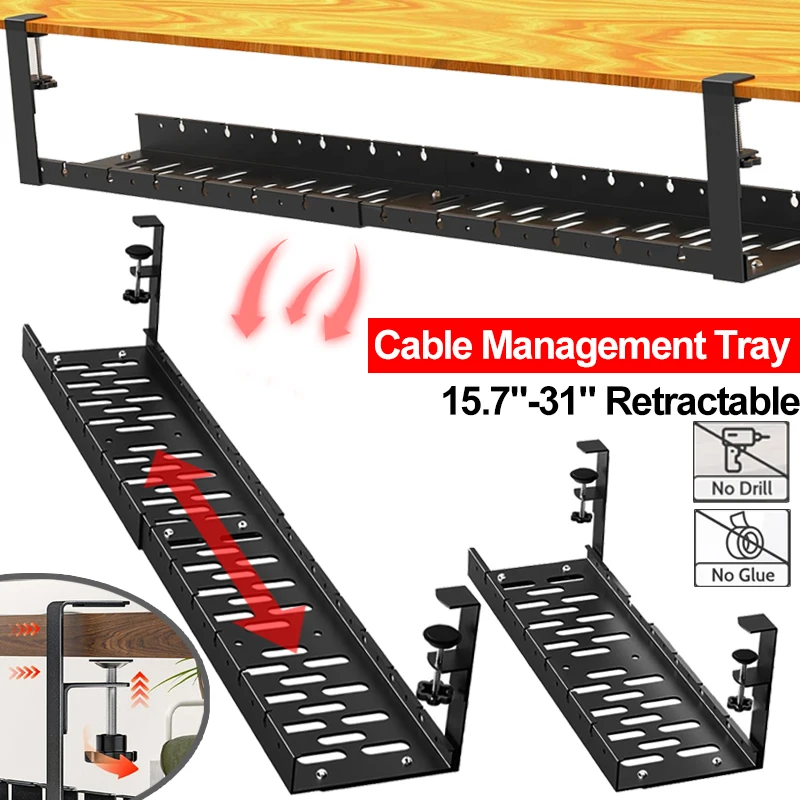
Premium Under-Desk Cable Tray | Retractable 15-31"