Home Office Lighting Setup: Expert Guide for Maximum Productivity
Creating an effective home office lighting setup is crucial for maintaining productivity, reducing eye strain, and supporting your overall well-being during long work sessions. The right combination of ambient, task, and accent lighting can transform your workspace from a dim, uncomfortable corner into a bright, energizing environment that keeps you focused and motivated throughout the day.
A well-designed home office lighting setup combines three key elements: adequate ambient lighting to illuminate the entire space, focused task lighting for detailed work, and strategic accent lighting to reduce harsh shadows and create visual comfort. The ideal setup minimizes glare on screens, provides sufficient illumination for reading and writing, and maintains consistent light levels that don't strain your eyes during video calls or extended computer work.
Key Takeaways:
- Layer three types of lighting: ambient, task, and accent for optimal illumination
- Position your desk perpendicular to windows to minimize screen glare
- Use adjustable LED desk lamps with 3000K-4000K color temperature
- Install bias lighting behind monitors to reduce eye strain
- Consider circadian rhythm lighting that adjusts throughout the day
What Makes an Effective Home Office Lighting Setup?
An effective home office lighting setup goes beyond simply having enough light to see your work. It requires a strategic approach that considers the specific tasks you perform, the layout of your workspace, and how different light sources interact with your computer screens and other equipment.
The foundation of good office lighting is understanding the three primary types of illumination. Ambient lighting provides general illumination for the entire room, typically from overhead fixtures or large windows. Task lighting offers focused illumination for specific activities like reading, writing, or detailed computer work. Accent lighting adds visual interest and helps balance the overall lighting scheme while reducing harsh contrasts.
Professional lighting designers recommend maintaining illumination levels between 300-500 lux for general office work, with task lighting providing an additional 200-300 lux for detailed activities. However, these numbers should be adjusted based on your age, visual acuity, and the specific nature of your work.
Essential Task Lighting Solutions for Your Desk
Task lighting forms the cornerstone of any productive workspace, providing focused illumination exactly where you need it most. The key is selecting fixtures that offer adjustability, appropriate brightness levels, and minimal glare on your computer screen.
A high-quality LED architect desk lamp with dual heads represents the gold standard for home office task lighting. These lamps typically feature articulating arms that allow you to direct light precisely where needed, while dimming controls let you adjust brightness throughout the day. Look for lamps with a color temperature between 3000K and 4000K, which provides a neutral white light that's neither too warm nor too cool.
Position your task lighting to minimize shadows and glare. The light source should be positioned to the side of your dominant hand (left side for right-handed users) and slightly behind your monitor. This arrangement illuminates your keyboard and documents without creating reflections on your screen or casting shadows from your hand while writing.
For those who frequently switch between computer work and paper-based tasks, consider lamps with multiple light zones or adjustable heads. This flexibility allows you to illuminate your keyboard for typing while simultaneously lighting documents or notebooks positioned to the side of your workspace.
Optimizing Natural Light and Window Placement
Natural light provides the most comfortable and energy-efficient illumination for your home office, but it requires careful management to avoid glare and maintain consistent lighting throughout the day. The key is positioning your workspace to take advantage of natural light while controlling its intensity and direction.
The optimal desk placement is perpendicular to windows, allowing natural light to illuminate your workspace from the side rather than directly behind or in front of your monitor. This arrangement minimizes screen glare while providing excellent ambient lighting for most of the day. If your desk must face a window, consider installing adjustable blinds or curtains to control brightness levels and prevent direct sunlight from hitting your screen.
North-facing windows provide the most consistent natural light throughout the day, while south-facing windows offer abundant light that may require more active management. East and west-facing windows can create challenging lighting conditions during sunrise and sunset, requiring supplemental artificial lighting to maintain consistent illumination.
Consider the seasonal variations in natural light when planning your setup. What works perfectly in summer may leave you squinting at your screen during shorter winter days. Plan for supplemental lighting that can compensate for these variations while maintaining the comfortable, productive environment you've created.
Ambient Lighting Strategies for Comfortable Workspaces
Ambient lighting creates the foundation for your entire lighting scheme, providing general illumination that reduces eye strain and creates a comfortable working environment. Unlike task lighting, which focuses on specific areas, ambient lighting should distribute light evenly throughout your workspace.
Overhead lighting fixtures, floor lamps, and wall sconces all contribute to ambient lighting, but the key is avoiding harsh, direct illumination that creates uncomfortable glare or deep shadows. Indirect lighting, which bounces off walls and ceilings, typically provides the most comfortable ambient illumination for extended work sessions.
The color temperature of your ambient lighting should complement your task lighting to create a cohesive lighting scheme. Mixing drastically different color temperatures can create visual discomfort and make it difficult to focus on detailed work. Stick to lights in the 2700K-4000K range for most home office applications.
Consider installing dimmer switches or using smart bulbs that allow you to adjust ambient lighting levels throughout the day. This flexibility lets you increase brightness during detailed work sessions and reduce it during video calls or when you want to create a more relaxed atmosphere.
Reducing Eye Strain with Proper Monitor Lighting
Monitor lighting requires special attention in any home office lighting setup, as improper illumination around computer screens is a leading cause of digital eye strain and fatigue. The goal is creating balanced lighting that reduces the contrast between your bright screen and the surrounding environment.
Bias lighting, also known as backlighting, involves placing a light source behind your monitor to reduce the contrast between your screen and the wall behind it. This technique significantly reduces eye strain during extended computer sessions and can be implemented using LED strips, small lamps, or specialized monitor backlights.
The brightness of your bias lighting should be approximately 10% of your monitor's brightness. Most monitors display around 100-300 nits, so your bias lighting should provide 10-30 nits of illumination. This creates a comfortable transition zone that prevents your eyes from constantly adjusting between the bright screen and dark surroundings.
When setting up your workspace, ensure that your monitor stand allows proper positioning relative to your lighting sources. The top of your screen should be at or slightly below eye level, and the screen should be tilted slightly backward to minimize reflections from overhead lighting.
Smart Lighting Controls and Automation
Modern smart lighting systems offer unprecedented control over your home office lighting setup, allowing you to create custom lighting scenes, automate adjustments throughout the day, and fine-tune your environment for maximum productivity.
Circadian rhythm lighting automatically adjusts color temperature and brightness throughout the day, mimicking natural sunlight patterns. These systems typically provide cooler, brighter light during morning hours to promote alertness, then gradually shift to warmer tones in the evening to support your natural sleep cycle.
Smart lighting controls also enable you to create preset scenes for different activities. You might have a "focused work" scene with bright, cool task lighting, a "video call" scene with balanced ambient lighting that flatters your appearance on camera, and a "reading" scene with warm, comfortable illumination.
Many smart lighting systems integrate with productivity apps and calendar software, automatically adjusting your lighting based on your scheduled activities. This automation ensures optimal lighting conditions without requiring constant manual adjustments throughout the day.
Budget-Friendly Lighting Upgrades That Make a Difference
Creating an effective home office lighting setup doesn't require a complete overhaul or expensive fixtures. Several budget-friendly upgrades can dramatically improve your workspace illumination and productivity.
LED bulb upgrades represent the most cost-effective lighting improvement. Replacing incandescent or CFL bulbs with high-quality LED alternatives provides better light quality, longer lifespan, and significant energy savings. Look for bulbs with high Color Rendering Index (CRI) ratings above 90 for the most accurate color representation.
DIY bias lighting using LED strips costs under $20 and provides immediate eye strain relief. These strips can be easily attached to the back of your monitor and powered via USB, requiring no electrical work or permanent modifications to your workspace.
Reflective surfaces and light-colored walls can significantly improve your existing lighting without adding new fixtures. A strategically placed mirror can redirect natural light into dark corners, while painting walls in lighter colors increases the effectiveness of your existing lighting by improving light distribution throughout the space.
Common Lighting Mistakes to Avoid
Even well-intentioned lighting setups can create problems if common mistakes aren't avoided. Understanding these pitfalls helps ensure your home office lighting setup truly enhances rather than hinders your productivity.
Overhead lighting positioned directly above your workspace often creates unflattering shadows on your face during video calls and can cause glare on your computer screen. Instead, position overhead fixtures slightly in front of or to the side of your workspace, or use indirect lighting that bounces off the ceiling.
Mismatched color temperatures create visual discomfort and can interfere with your circadian rhythm. Mixing warm incandescent bulbs with cool fluorescent fixtures creates an unpleasant lighting environment that makes it difficult to focus on detailed work.
Insufficient lighting levels force your eyes to work harder, leading to fatigue and reduced productivity. However, excessive brightness can be equally problematic, creating glare and making it difficult to see your computer screen clearly. The key is finding the right balance for your specific needs and workspace configuration.
Neglecting to consider cable management when adding new lighting fixtures can create a cluttered, unprofessional appearance. Use under-desk cable management solutions to keep power cords and lighting cables organized and out of sight.
Professional Video Call Lighting Setup
With remote work becoming increasingly common, your home office lighting setup must also consider how you appear on video calls. Poor lighting during virtual meetings can undermine your professional image and make communication more difficult.
The key to good video call lighting is positioning your primary light source in front of you, slightly above eye level. This creates even illumination across your face while minimizing unflattering shadows. A ring light or softbox positioned behind your monitor provides excellent results, though a well-positioned desk lamp can also work effectively.
Avoid backlighting, which occurs when your primary light source is behind you. This creates a silhouette effect that makes it difficult for others to see your facial expressions and can strain your eyes as your camera adjusts to compensate for the bright background.
Consider the background lighting in your video calls as well. A moderately lit background provides context without being distracting, while overly bright or dark backgrounds can interfere with your camera's ability to properly expose your face.
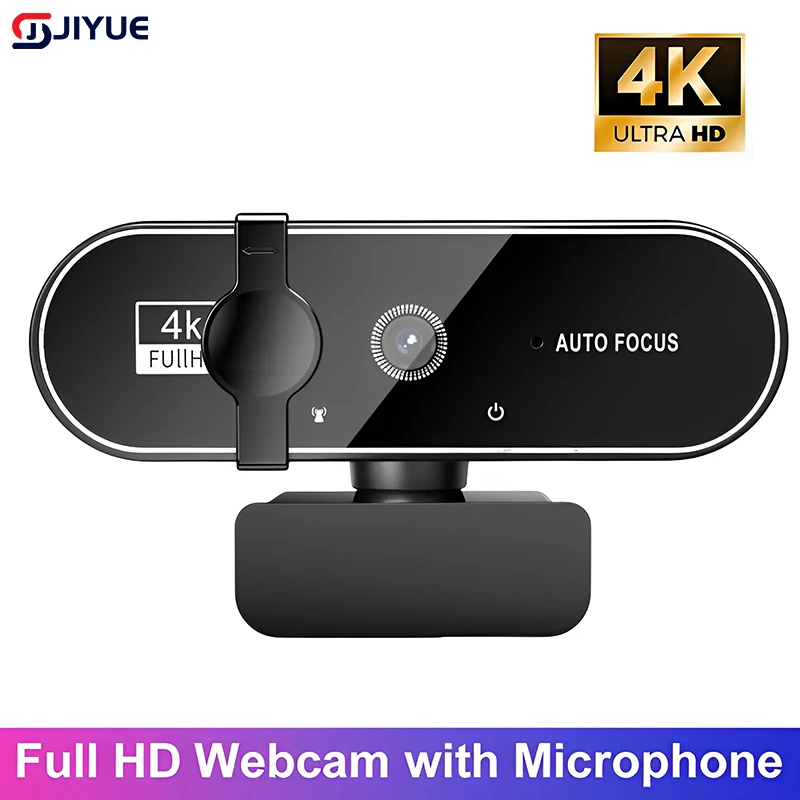
For those who frequently participate in video calls, investing in a professional streaming camera with good low-light performance can work in conjunction with your lighting setup to ensure you always look your best on screen.
Seasonal Lighting Adjustments
Your home office lighting setup should adapt to seasonal changes in natural light availability and your body's changing needs throughout the year. What works perfectly during bright summer months may leave you struggling with insufficient illumination during shorter winter days.
During winter months, when natural light is limited, increase your artificial lighting to compensate for the reduced daylight hours. This might involve using brighter task lighting, adding supplemental ambient lighting, or extending the hours during which you use your full lighting setup.
Summer adjustments often focus on managing excessive natural light rather than adding artificial illumination. Window treatments become crucial during these months, allowing you to control the intensity and direction of sunlight entering your workspace.
Spring and fall transitions require the most flexibility in your lighting setup. Consider using smart bulbs or dimmer switches that allow you to easily adjust lighting levels as natural light conditions change throughout these transitional seasons.
Health and Wellness Considerations
Your home office lighting setup has significant implications for your physical and mental health, extending far beyond simple visibility and productivity concerns. Understanding these health connections helps you make informed decisions about your workspace illumination.
Proper lighting supports your circadian rhythm, the internal biological clock that regulates sleep-wake cycles, hormone production, and other vital functions. Exposure to bright, blue-rich light during morning and midday hours helps maintain alertness and supports healthy sleep patterns.
Inadequate lighting contributes to digital eye strain, characterized by symptoms including dry eyes, blurred vision, headaches, and neck and shoulder pain. A well-designed lighting setup that minimizes contrast between your screen and surrounding environment can significantly reduce these symptoms.
Seasonal Affective Disorder (SAD) and general mood issues can be influenced by lighting conditions, particularly during winter months when natural light exposure is limited. Full-spectrum lighting that mimics natural sunlight can help maintain mood and energy levels during darker periods.
Ready to Transform Your Workspace?
Creating the perfect home office lighting setup is an investment in your productivity, health, and professional success. The right combination of ambient, task, and accent lighting can transform your workspace into an environment that supports focus, reduces fatigue, and enhances your overall work-from-home experience.
Start with the basics: position your desk to optimize natural light, add quality task lighting for detailed work, and ensure adequate ambient lighting throughout your space. Remember that the best lighting setup is one that can adapt to your changing needs throughout the day and across different seasons.
Ready to upgrade your home office lighting setup? Explore our complete collection of premium desk accessories and lighting solutions designed specifically for the modern remote worker. From adjustable LED desk lamps to ergonomic accessories that complement your new lighting scheme, we have everything you need to create a workspace that works as hard as you do.
Shop products from this guide
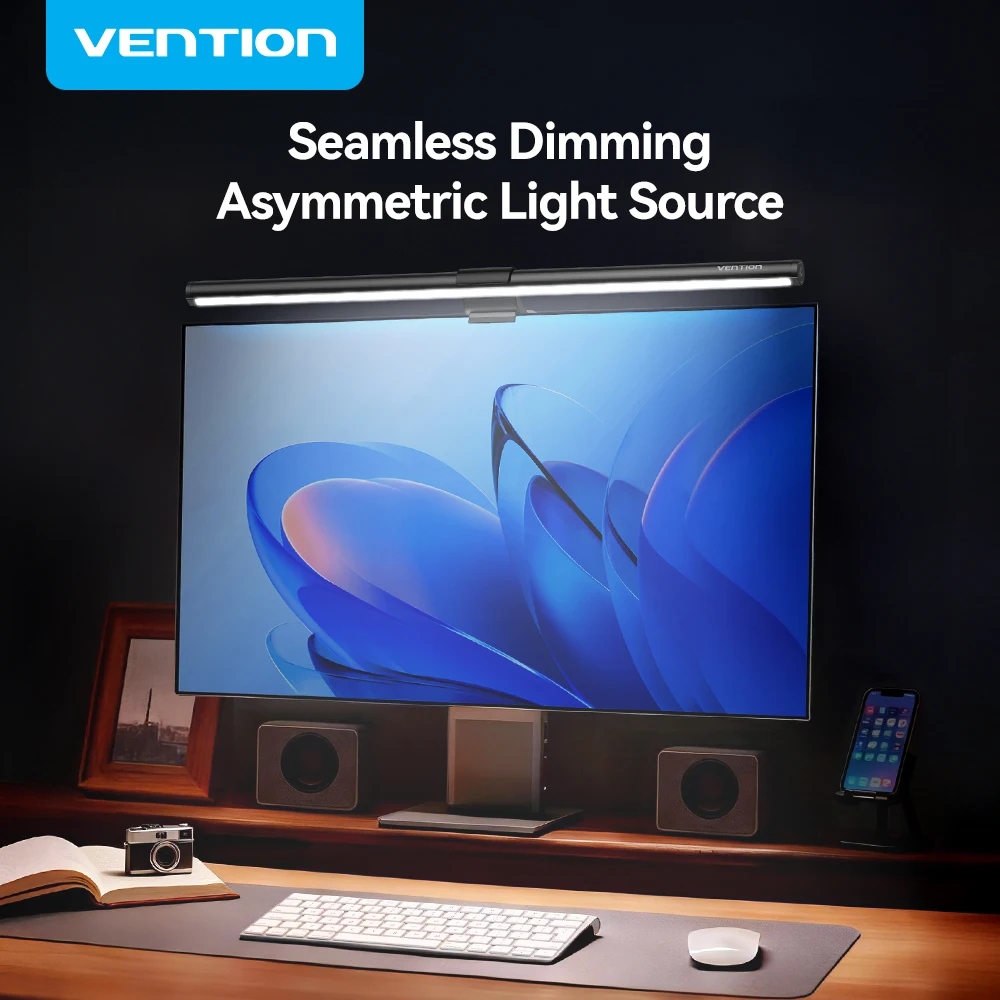
Vention Monitor Light Bar — LED Screen Hanging Lamp
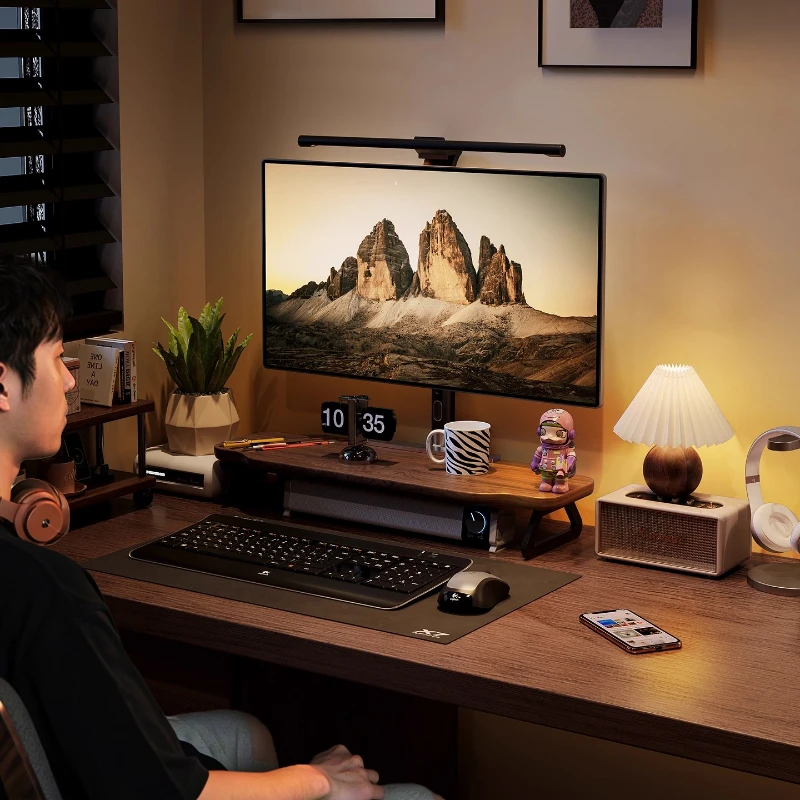
Walnut Wood Monitor Riser — Desk Stand with Keyboard Storage

EMEET S6 4K Webcam - 1080P 60FPS Pro Streaming Camera
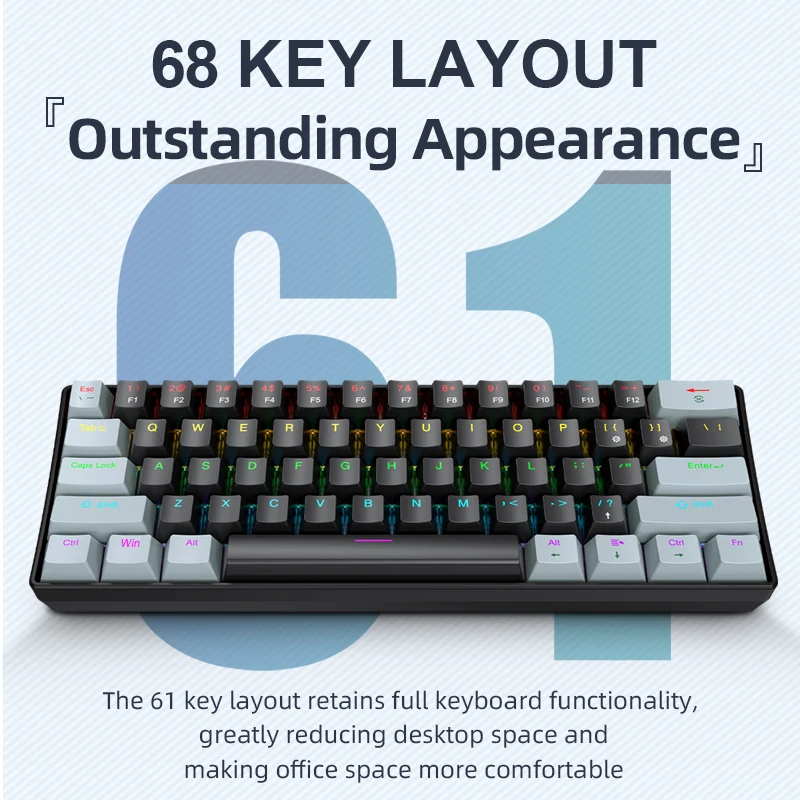
APAYADO K61 Mini RGB Mechanical Keyboard - 61 Key Compact

AULA F75 MAX 75% Wireless Mechanical Keyboard - Premium