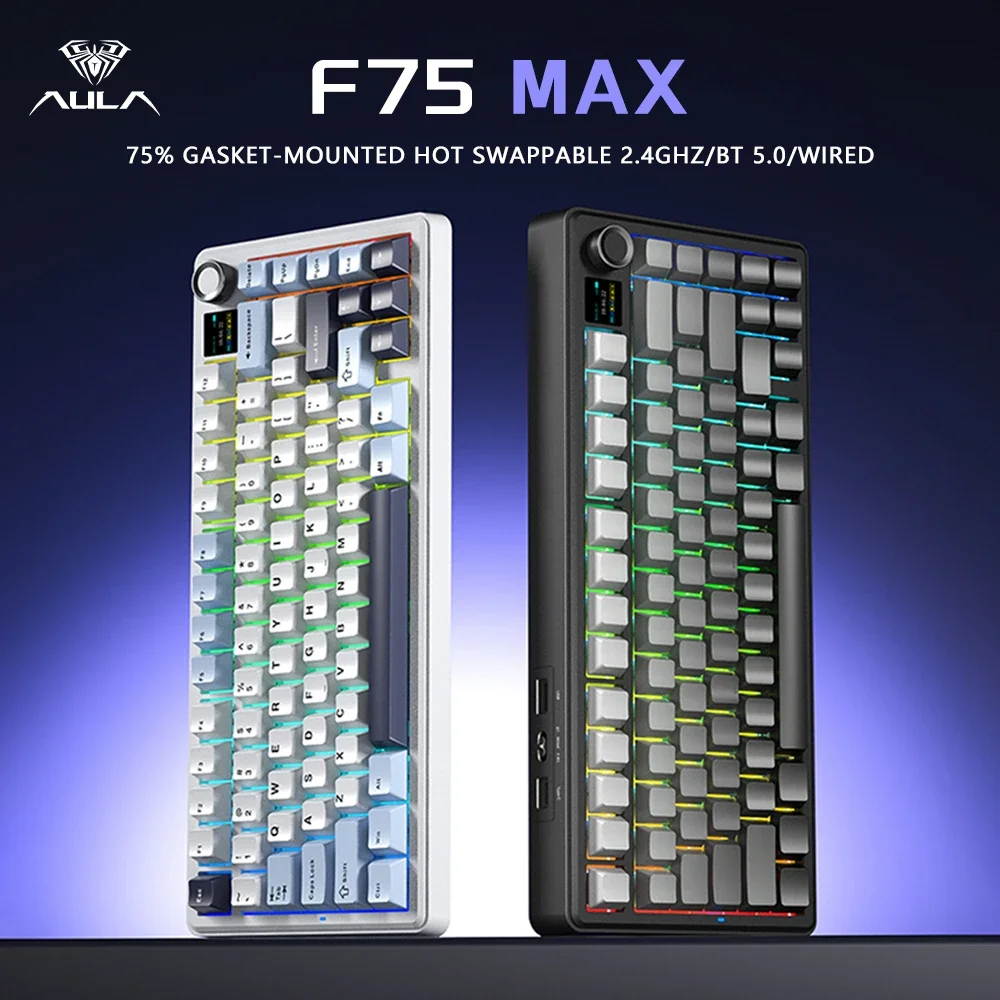
AULA F75 MAX 75% Wireless Mechanical Keyboard - Premium
Elevate your workspace with the precision and luxury that only a premium mechanical keyboard can deliver. The AULA F75 MAX transforms every keystroke into a satisfying, productive experience that makes those long work sessions feel effortless. Whether you're coding through complex algorithms, crafting detailed reports, or managing multiple projects across devices, this keyboard adapts to your workflow with the reliability and performance that professionals demand.
Why You'll Love the AULA F75 MAX 75% Wireless Mechanical Keyboard
Tri-Mode Connectivity That Works Around Your Schedule
Switch seamlessly between wireless 2.4GHz, Bluetooth, and USB-C wired connections without missing a beat. Start your morning connected to your laptop via Bluetooth for email review, switch to 2.4GHz wireless for lag-free productivity work, then connect via USB-C when you need that ultra-reliable wired connection for important video calls. The keyboard remembers your paired devices, so transitioning between your work laptop, personal computer, and tablet becomes as simple as pressing a key combination.
Gasket Mount Construction for All-Day Comfort
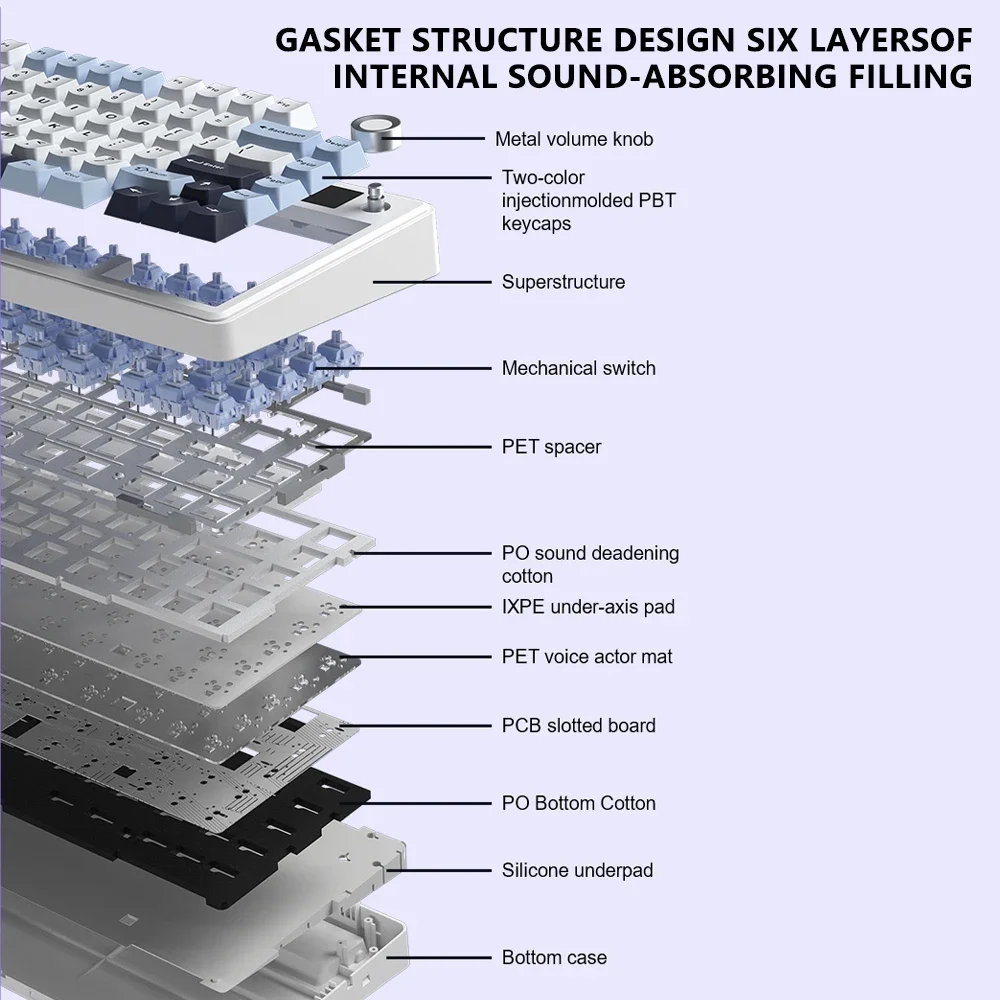
Experience the difference that premium gasket mount engineering makes during marathon work sessions. Unlike standard keyboards that can feel harsh after hours of typing, the gasket mount system absorbs impact and provides a cushioned, responsive feel that reduces finger fatigue. Each keystroke feels deliberate yet effortless, maintaining that satisfying mechanical feedback without the jarring impact that can slow you down during intensive typing tasks.
Hot-Swappable Switches for Your Perfect Setup
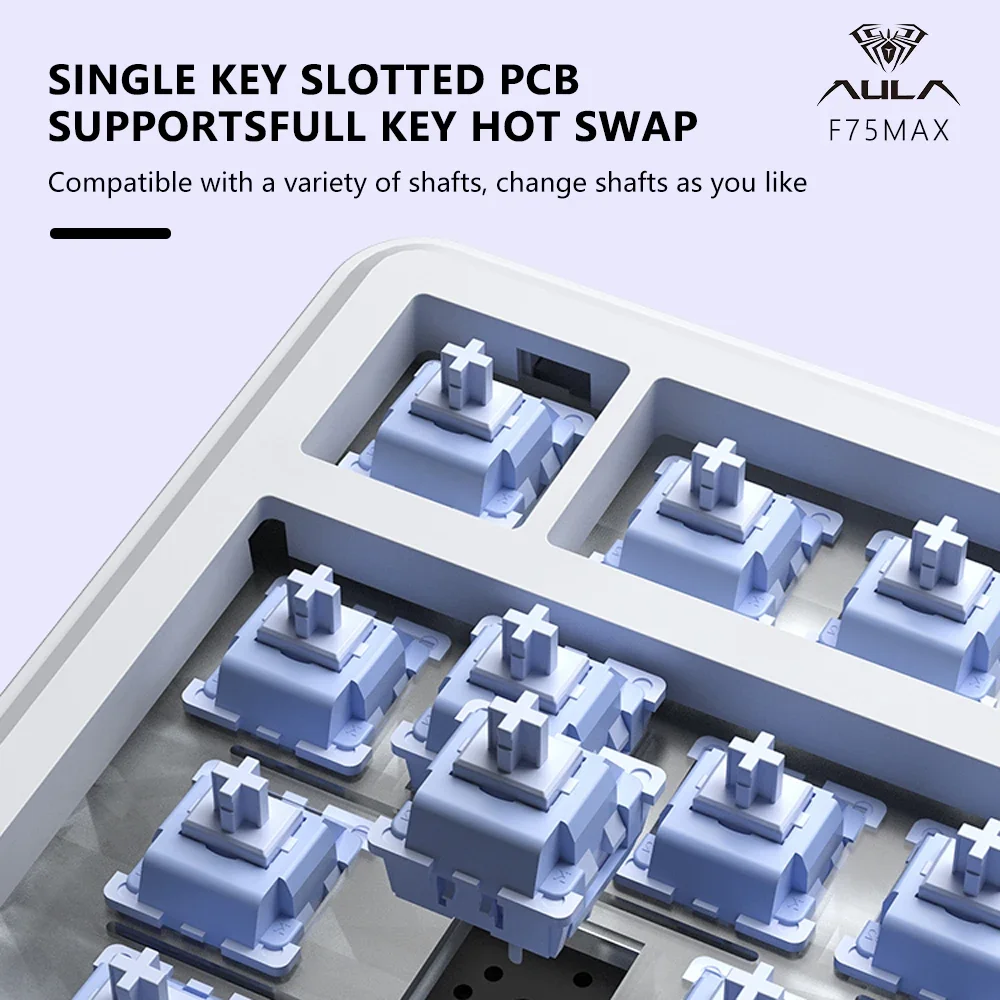
Customize your typing experience without any technical expertise required. The hot-swappable switch design means you can experiment with different switch types to find your perfect balance of tactile feedback, actuation force, and sound profile. Start with the included switches, then upgrade to linear switches for gaming sessions or tactile switches for coding work – all without soldering or permanent modifications.
Professional RGB Lighting That Adapts
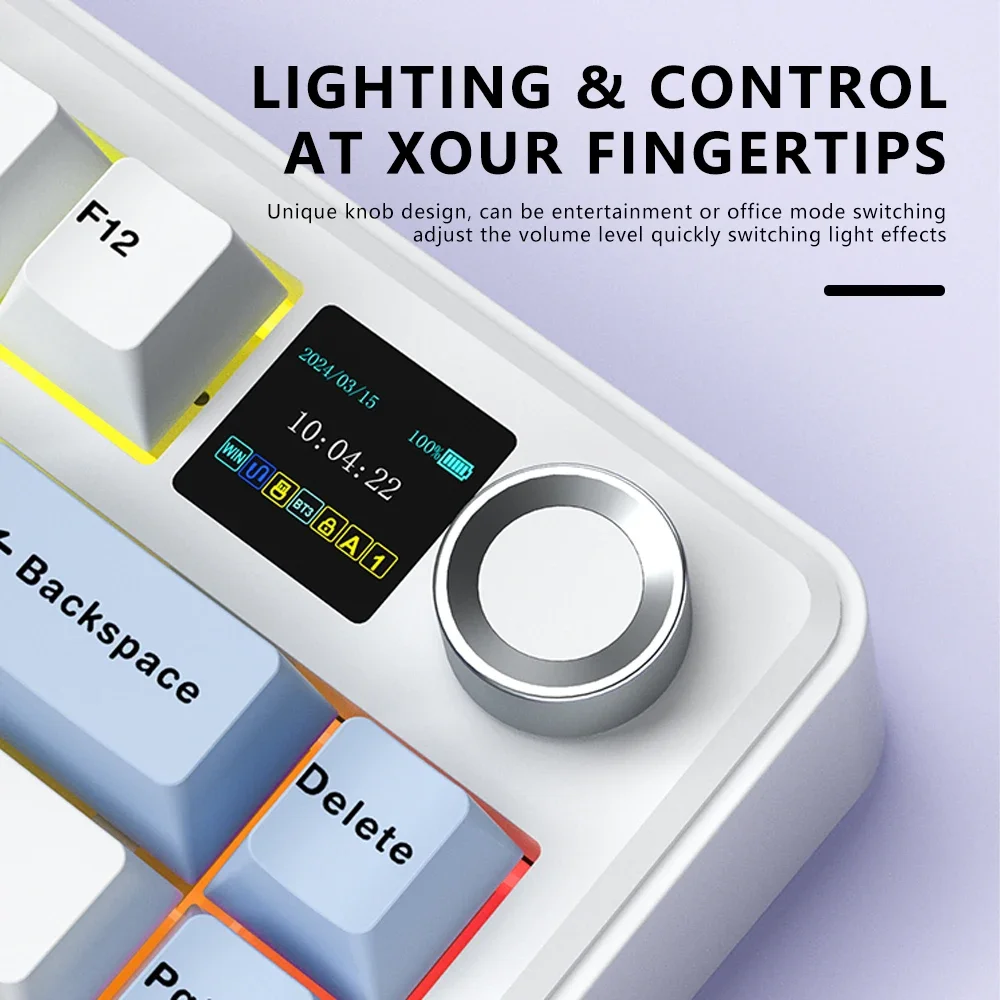
Create the perfect ambiance for any work environment with fully customizable RGB lighting. Set subtle, professional colors for client video calls, use functional backlighting for late-night project work, or create inspiring color schemes that energize your creative sessions. The lighting system integrates with your workspace aesthetic rather than overwhelming it, maintaining that premium, professional appearance.
Who This Is For
- Remote professionals and hybrid workers who need reliable connectivity across multiple devices and workspaces, switching effortlessly between home office setups, co-working spaces, and client locations without compromising on typing quality or comfort during long work days.
- Creative professionals and content creators who spend hours writing, coding, or editing and need the tactile precision and ergonomic comfort that prevents fatigue during extended creative sessions, while maintaining a premium aesthetic that looks professional on camera.
- Tech enthusiasts and productivity optimizers who appreciate premium build quality and want the flexibility to customize their typing experience over time, with the reliability and features that support their demanding workflows and multi-device setups.
What's in the Box
- AULA F75 MAX 75% Mechanical Keyboard
- USB-C to USB-A charging/connection cable
- 2.4GHz wireless receiver
- Switch and keycap removal tools
- User manual and quick start guide
- Additional keycaps for customization
Getting Started
- Unpack and charge: Connect the included USB-C cable to fully charge your keyboard before first use (charge indicator will show when complete).
- Choose your connection mode: For wireless, insert the 2.4GHz receiver into your computer's USB port, or enable Bluetooth pairing mode by holding Fn + Bluetooth key for 3 seconds.
- Customize your lighting: Press Fn + RGB key to cycle through preset lighting modes, or use the included software to create custom profiles that match your workspace.
- Set up device switching: Pair up to 3 Bluetooth devices using Fn + 1/2/3 keys, allowing instant switching between your laptop, tablet, and desktop throughout your workday.
- Optimize your layout: Test the 75% compact layout and adjust to the efficient key placement that gives you full functionality while saving valuable desk space.
Frequently Asked Questions
Is this keyboard compatible with Mac, Windows, and mobile devices?
Yes, the AULA F75 MAX works seamlessly across all major operating systems including Windows, macOS, iOS, and Android. The keyboard automatically detects your system and adjusts key mappings accordingly. For Mac users, the Alt and Cmd keys function properly, and you can switch between Windows and Mac layouts using the built-in toggle.
How long does the battery last on a single charge?
Battery life varies based on usage patterns and RGB lighting settings. With moderate typing and minimal RGB lighting, expect several weeks of use per charge. Heavy use with full RGB lighting will require more frequent charging. The keyboard includes battery level indicators and low-battery warnings, plus you can continue using it while charging via USB-C.
Can I use this keyboard while it's charging?
Absolutely. The USB-C connection supports simultaneous charging and use, so you never have to stop working. When connected via USB-C, the keyboard operates in wired mode with zero latency, making it perfect for gaming or intensive work sessions where every millisecond matters.
What's the difference between 2.4GHz wireless and Bluetooth modes?
The 2.4GHz wireless mode offers the lowest latency and most stable connection, ideal for gaming or fast typing. Bluetooth mode is perfect for connecting to multiple devices and switching between them quickly, though with slightly higher latency. Most users prefer 2.4GHz for their primary workstation and Bluetooth for secondary devices like tablets.
How difficult is it to swap out the switches?
Switch swapping is designed to be user-friendly and requires no technical expertise. The included switch puller tool makes removal simple – just grasp the switch and pull straight up. Installing new switches is equally straightforward: align the pins and press down until they click into place. The entire process takes just minutes per switch.
Does the 75% layout take time to adjust to if I'm used to full-size keyboards?
Most users adapt to the 75% layout within a few days of regular use. The layout maintains all essential keys while eliminating rarely-used function keys and the number pad. Arrow keys and function keys remain easily accessible through the Fn layer. The compact size actually improves ergonomics by keeping your mouse closer to your keyboard, reducing shoulder strain during extended work sessions.
- Tri-mode connectivity: seamless switching between 2.4GHz wireless, Bluetooth, and USB-C wired connections
- Premium gasket mount construction reduces typing fatigue during extended work sessions
- Hot-swappable switches allow customization without soldering or technical expertise
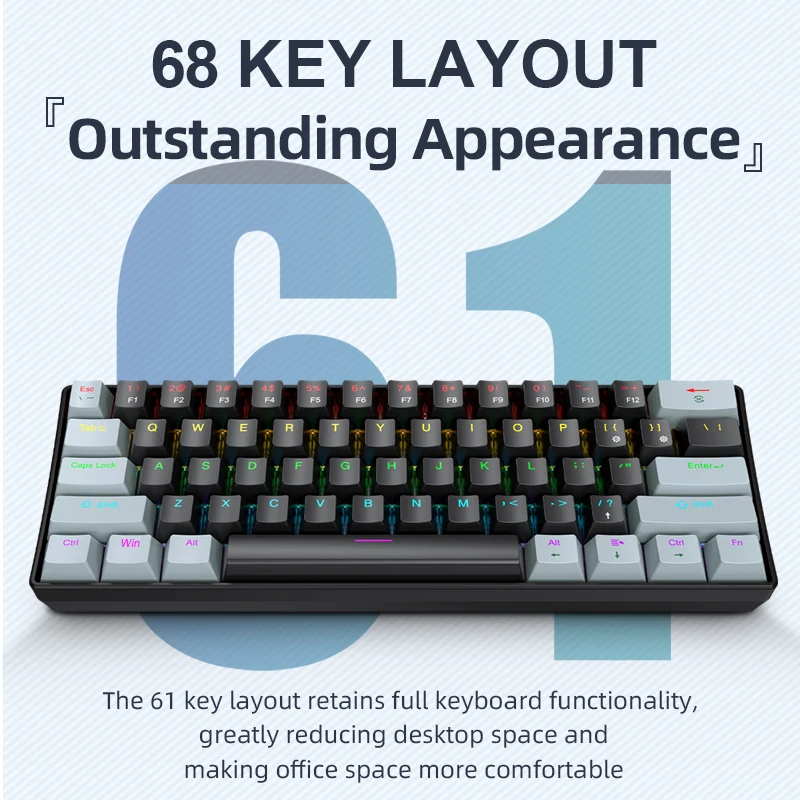
- 75% compact layout saves desk space while maintaining full functionality and arrow keys
- Customizable RGB lighting creates the perfect ambiance for any professional environment
- Multi-device pairing supports up to 3 Bluetooth connections for instant device switching
- Professional build quality designed for demanding work environments and daily use
Each option below is a different model variant. Select the one you want to receive.
Frequently Bought Together
Customers who bought this also added

All items ship together · Free US shipping · 30-day returns
From Our Blog
Best Mechanical Keyboards for Remote Work: 2026 Guide
Discover the best mechanical keyboards for remote work in 2026, with expert reviews and buying advice for productivity and comfort.
Silent Mechanical Keyboards: Quiet Typing for Shared Spaces
Discover how silent mechanical keyboards provide the tactile satisfaction of mechanical switches with 30-50% less noise, perfect for shared workspaces and quiet environments.
Best Wireless Charging Station Multiple Devices: Complete 2024 Guide
Discover the top wireless charging stations for multiple devices in 2024, with expert buying advice and safety considerations for your workspace setup.