Silent Mechanical Keyboards: Quiet Typing for Shared Spaces
Working in shared spaces, open offices, or home environments with family members nearby presents a unique challenge for keyboard enthusiasts. You want the tactile satisfaction and durability of mechanical switches, but without the characteristic clicking that can disturb others around you.
A silent mechanical keyboard combines the best of both worlds: the premium typing experience of mechanical switches with significantly reduced noise levels, typically 30-50% quieter than standard mechanical keyboards. These keyboards use specialized silent switches with dampening mechanisms that eliminate the sharp click while maintaining tactile feedback, making them ideal for offices, libraries, late-night work sessions, and any environment where noise consideration is important.
Key Takeaways:
- Silent mechanical keyboards use dampened switches to reduce noise by 30-50% while maintaining tactile feel
- Linear silent switches (like Cherry MX Silent Red) are quieter than tactile variants
- Quality keycaps and case construction significantly impact overall noise levels
- Wireless options eliminate cable noise and provide cleaner desk setups
- Expect to pay 20-40% more than standard mechanical keyboards for silent variants
What Makes a Mechanical Keyboard Silent?
The "silence" in silent mechanical keyboards comes from several engineering innovations that address the primary noise sources in traditional mechanical switches. Standard mechanical switches create noise through three main mechanisms: the initial key press, the tactile bump (in tactile switches), and the bottom-out impact when the key hits the switch housing.
Silent switches incorporate rubber dampeners or O-rings within the switch housing that cushion both the downstroke and upstroke movements. Popular silent switch types include Cherry MX Silent Red (linear), Cherry MX Silent Black (linear), and Gateron Silent Brown (tactile). These switches maintain the same actuation force and travel distance as their non-silent counterparts while dramatically reducing acoustic output.
Beyond the switches themselves, keyboard construction plays a crucial role in noise reduction. Premium silent keyboards feature:
- Dense case materials that absorb vibrations rather than amplifying them
- Plate-mounted stabilizers with proper lubrication to eliminate rattle
- Quality keycaps that don't create hollow sounds when pressed
- Internal dampening foam to reduce case resonance
Silent Switch Types: Linear vs Tactile Options
When choosing a silent mechanical keyboard, understanding the difference between linear and tactile silent switches is crucial for finding your ideal typing experience.
Linear Silent Switches provide the quietest operation overall. Popular options like Cherry MX Silent Red and Gateron Silent Red offer smooth keystrokes without tactile bumps, making them excellent for fast typists and gamers. The consistent force curve eliminates any mid-travel noise, with most linear silent switches producing sound levels around 40-45 dB.
Tactile Silent Switches maintain a subtle bump to indicate actuation while still reducing noise significantly compared to standard tactile switches. Options like Gateron Silent Brown or Boba U4 Silent provide typing feedback that many find more satisfying for extended writing sessions. However, they're typically 5-10 dB louder than their linear counterparts due to the tactile mechanism.
For shared office environments, linear silent switches generally provide the best balance of performance and discretion. The smooth operation also tends to be less fatiguing during long typing sessions, making them ideal for professional use.
Top Features to Look for in Quiet Mechanical Keyboards
When evaluating silent mechanical keyboards, several key features distinguish exceptional models from basic offerings. Prioritizing these characteristics ensures you get a keyboard that truly excels in quiet environments.
Switch Quality and Consistency: Look for keyboards using genuine Cherry MX Silent, Gateron Silent, or other reputable silent switch brands. Avoid keyboards with generic "silent" switches that may not deliver consistent noise reduction across all keys.
Build Quality and Materials: Premium aluminum or high-density plastic cases provide better sound dampening than hollow designs. The compact 61-key layout can be particularly effective for silent operation, as fewer switches mean less overall noise potential.
Wireless Connectivity: Wireless silent keyboards eliminate cable movement noise and provide cleaner desk aesthetics. Models like the 75% wireless mechanical keyboard offer excellent portability while maintaining full functionality.
Programmability and Software: Advanced keyboards allow you to customize actuation points and create macros, reducing the need for multiple keystrokes. This feature becomes especially valuable in quiet environments where every keystroke counts.
Additional Noise-Reducing Features:
- Pre-installed O-rings or foam dampening
- Stabilizer lubrication from the factory
- Double-shot or dye-sublimated keycaps that don't develop hollow sounds over time
- Adjustable feet with rubber bases to prevent desk vibration
Setting Up Your Quiet Workspace for Maximum Productivity
A silent mechanical keyboard is just one component of an optimized quiet workspace. Creating an environment that minimizes distractions while maximizing productivity requires attention to multiple elements that work together harmoniously.
Desk Organization and Cable Management: Proper cable management not only improves aesthetics but reduces noise from cable movement. Consider a telescopic cable management system to keep all connections organized and prevent cables from knocking against desk surfaces.
Lighting Considerations: Adequate lighting reduces eye strain and the need to lean closer to your screen, which can increase typing force and noise. An adjustable LED desk lamp provides focused illumination without creating glare on your screen.
Ergonomic Positioning: Proper keyboard and monitor positioning reduces typing fatigue, which naturally leads to quieter keystrokes. A height-adjustable monitor stand helps maintain optimal viewing angles while creating additional desk space.
Complementary Quiet Peripherals: Pairing your silent keyboard with other quiet components creates a cohesive workspace. An ergonomic wireless mouse eliminates click noise and cable drag, while maintaining precision for detailed work.
Optimizing Your Typing Technique
Even with a silent mechanical keyboard, proper typing technique significantly impacts noise levels. Focus on:
- Maintaining light finger pressure—mechanical switches require less force than membrane keyboards
- Avoiding bottoming out keys completely, as the tactile feedback indicates successful actuation
- Keeping wrists in a neutral position to prevent heavy-handed typing
- Using proper finger placement to distribute typing load evenly across all fingers
Maintenance and Longevity of Silent Keyboards
Silent mechanical keyboards require specific maintenance approaches to preserve their quiet operation and extend their lifespan. Unlike standard mechanical keyboards where some noise is expected, silent variants can lose their effectiveness if not properly maintained.
Regular Cleaning Protocol: Dust and debris can interfere with the dampening mechanisms in silent switches. Use compressed air weekly to remove particles from between keys, and perform deep cleaning monthly using keycap pullers and isopropyl alcohol.
Switch Lubrication: While many silent keyboards come pre-lubricated, the lubricant can wear off over time. High-usage keys may require re-lubrication after 12-18 months of heavy use. Use appropriate switch lubricants like Krytox 205g0 for optimal results.
Stabilizer Maintenance: Rattling stabilizers can negate the benefits of silent switches. Check and re-lubricate stabilizers every 6-12 months, paying special attention to the spacebar, shift keys, and enter key.
Environmental Considerations: Keep your keyboard away from direct sunlight and extreme temperatures, which can affect the rubber dampeners in silent switches. Maintain humidity levels between 30-50% to prevent switch housing expansion or contraction.
Making the Right Choice for Your Workspace
Selecting the perfect silent mechanical keyboard depends on your specific use case, budget, and workspace requirements. Consider these factors when making your decision:
Usage Patterns: Heavy typists benefit from linear silent switches with consistent force curves, while occasional users might prefer the feedback of tactile silent switches. Gaming applications typically favor linear switches for rapid key presses.
Space Constraints: Compact layouts like 60% or 75% keyboards offer excellent portability and reduced noise footprint, while full-size keyboards provide dedicated number pads for data entry work.
Connectivity Needs: Wireless keyboards offer maximum flexibility and eliminate cable noise, but wired connections provide zero-latency response for gaming and professional applications where timing is critical.
Budget Considerations: Quality silent mechanical keyboards typically cost $80-200, with premium models featuring custom switches and advanced features reaching $300+. Consider this an investment in both productivity and workplace harmony.
Integration with Your Complete Setup
Your silent mechanical keyboard works best as part of a thoughtfully designed workspace. Consider how it integrates with other essential components like video conferencing equipment, connectivity solutions, and organizational tools to create a professional, distraction-free environment.
Ready to transform your workspace with premium silent mechanical keyboards and complementary desk accessories? Explore our complete collection of professional workspace solutions designed for the modern remote worker. From ultra-quiet keyboards to ergonomic accessories, we have everything you need to create the perfect productive environment.
A silent mechanical keyboard represents more than just a quieter typing experience—it's an investment in workplace consideration, personal productivity, and long-term comfort. With the right selection and proper setup, you can enjoy the premium feel of mechanical switches without compromising the peace of your shared workspace.
Shop products from this guide
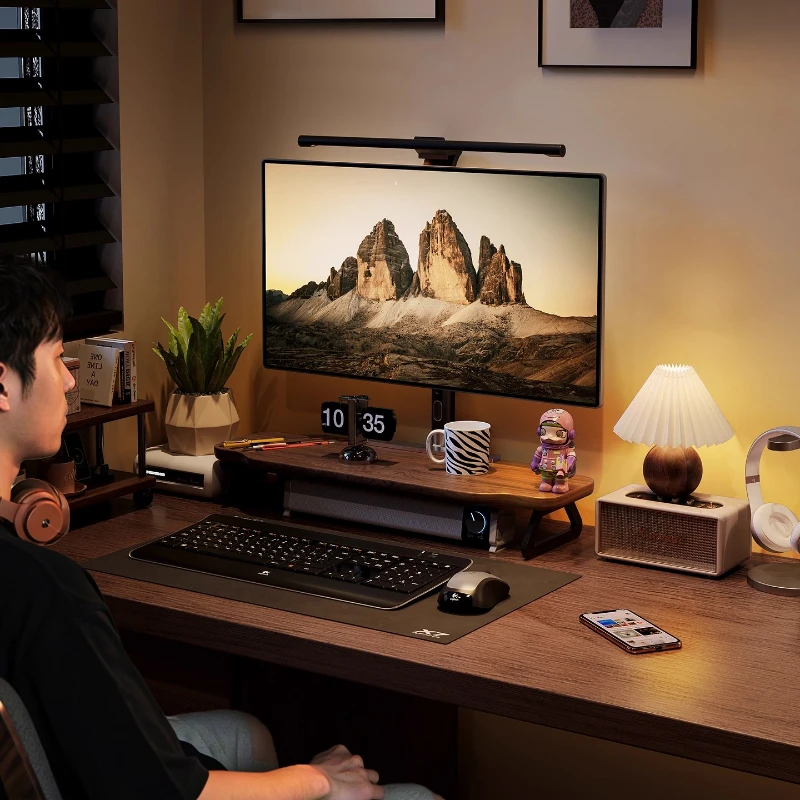
Walnut Wood Monitor Riser — Desk Stand with Keyboard Storage

EMEET S6 4K Webcam - 1080P 60FPS Pro Streaming Camera
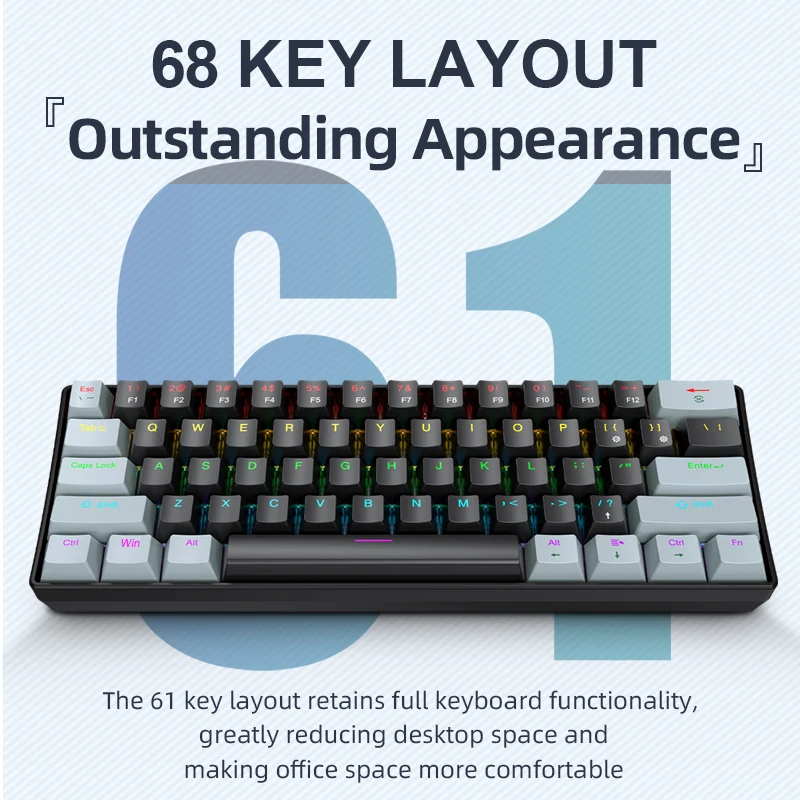
APAYADO K61 Mini RGB Mechanical Keyboard - 61 Key Compact
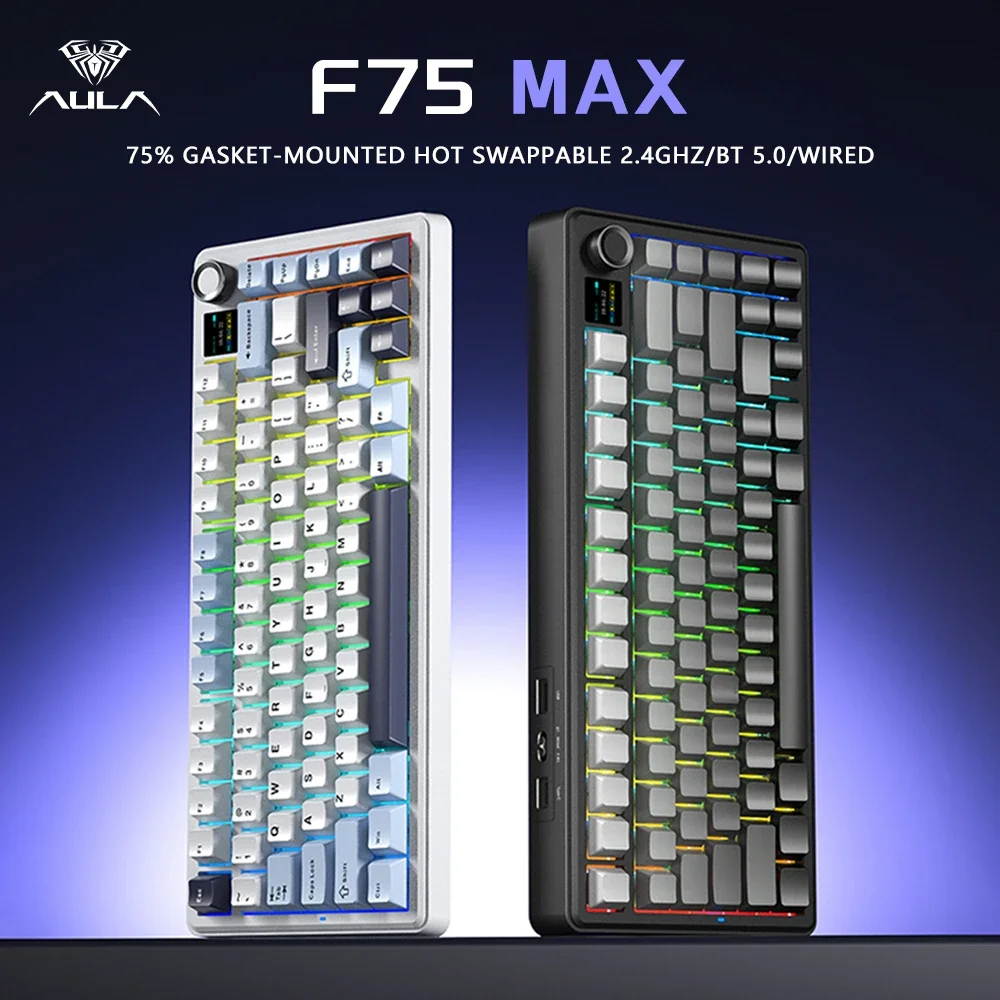
AULA F75 MAX 75% Wireless Mechanical Keyboard - Premium

4K Webcam with Autofocus - Professional Streaming Camera